
Run LLM Locally for Coding: A Step-by-Step Guide (2026)
2026-03-10 — by Tommy Jepsen
If you want to try it yourself, here is the stack I use:
The Engine: LM Studio
The Brain: Qwen3 Coder 30B
The Agent: OpenCode
1. The Engine: LM Studio
LM Studio makes it really easy to run models locally, and you can run them as an API similar to OpenAI. So it is pretty smooth salling to get going.
You can download LM Studio here: lmstudio.ai.
You need a pretty good machine to run models locally though. As said I run M4 Max with 32gb and that works but it's not super fast.
2. The Brain: Qwen3 Coder 30B
Released in mid-2025, Qwen3 Coder 30B is not the newest model out there, but it scores pretty well on the leaderboards for coding. I've tested both on creating a NodeJS backend and developing a React TypeScript frontend, and it performs pretty well on both tasks.
What you need to do to get the model in LM Studio:
- Open LM Studio.
- Click on the Search (magnifying glass) icon.
- Type
Qwen3-Coder-30B-A3B-Instruct-MLX-4bitwhich is done I used. - Download it.
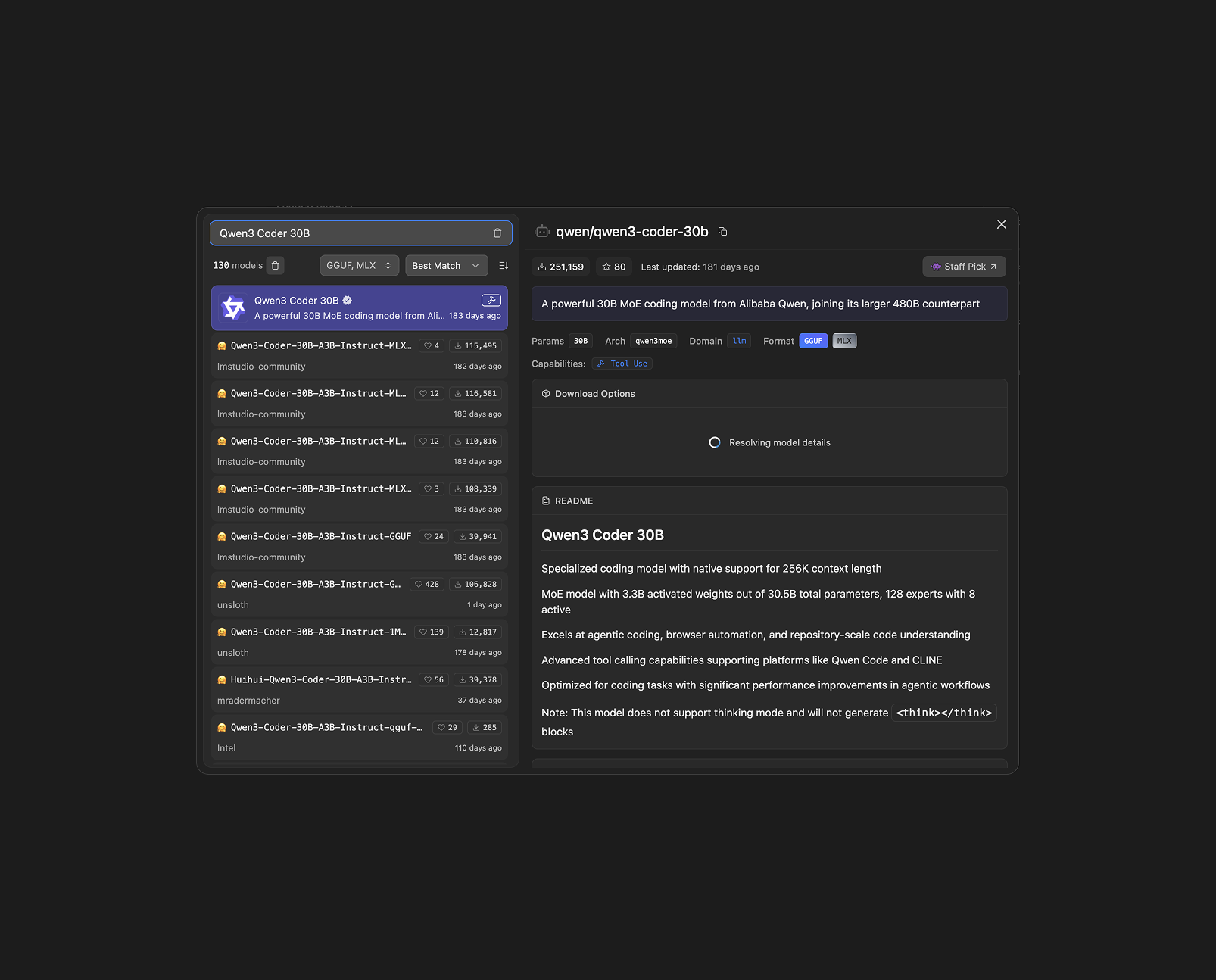
Now you are ready to load it up.
3. Serving the Model
To let other tools (like OpenCode) talk to Qwen3 Coder, you need to turn on LM Studio's Local Server(API).
- Click the Developer tab in LM Studio.
- Select your downloaded Qwen3-Coder-30B-A3B-Instruct-MLX-4bit model from the dropdown at the top right.
- I turned the Context Length all the way up to 26k tokens.
- Set status to "Running" to start the API.
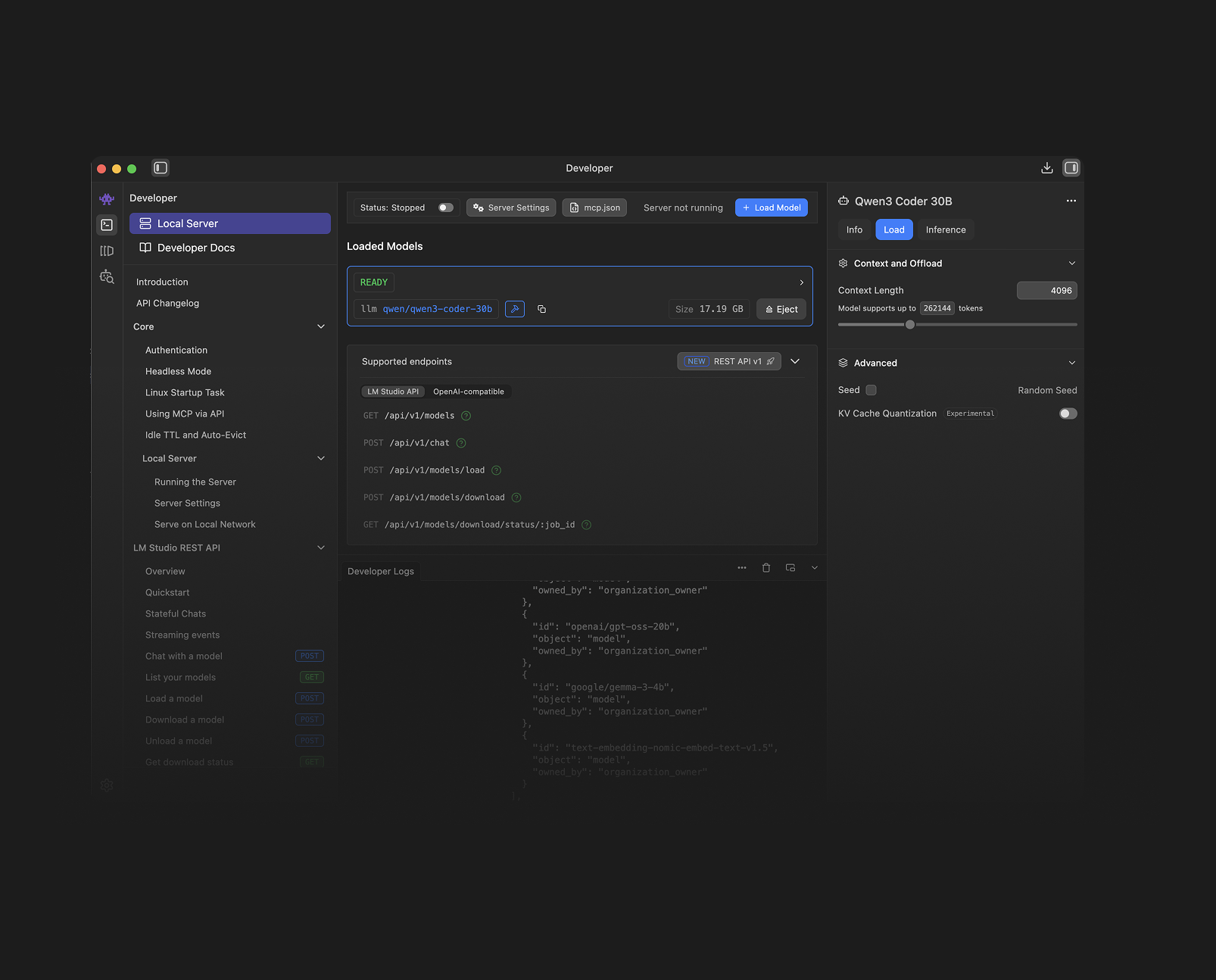
You now have an API running at http://localhost:1234/. See if it works with:
curl http://localhost:1234/v1/models
4. The Agent: OpenCode
OpenCode is an open-source autonomous coding agent that lives in your terminal - similar to Claude Code.
You can install OpenCode via Homebrew (macOS) or using their install script.
brew install opencode
After installing, you need to configure it to use LM Studio.
Configuration:
You need to create an API key in LM Studio.
Go to the Developer tab, press on Server Settings.
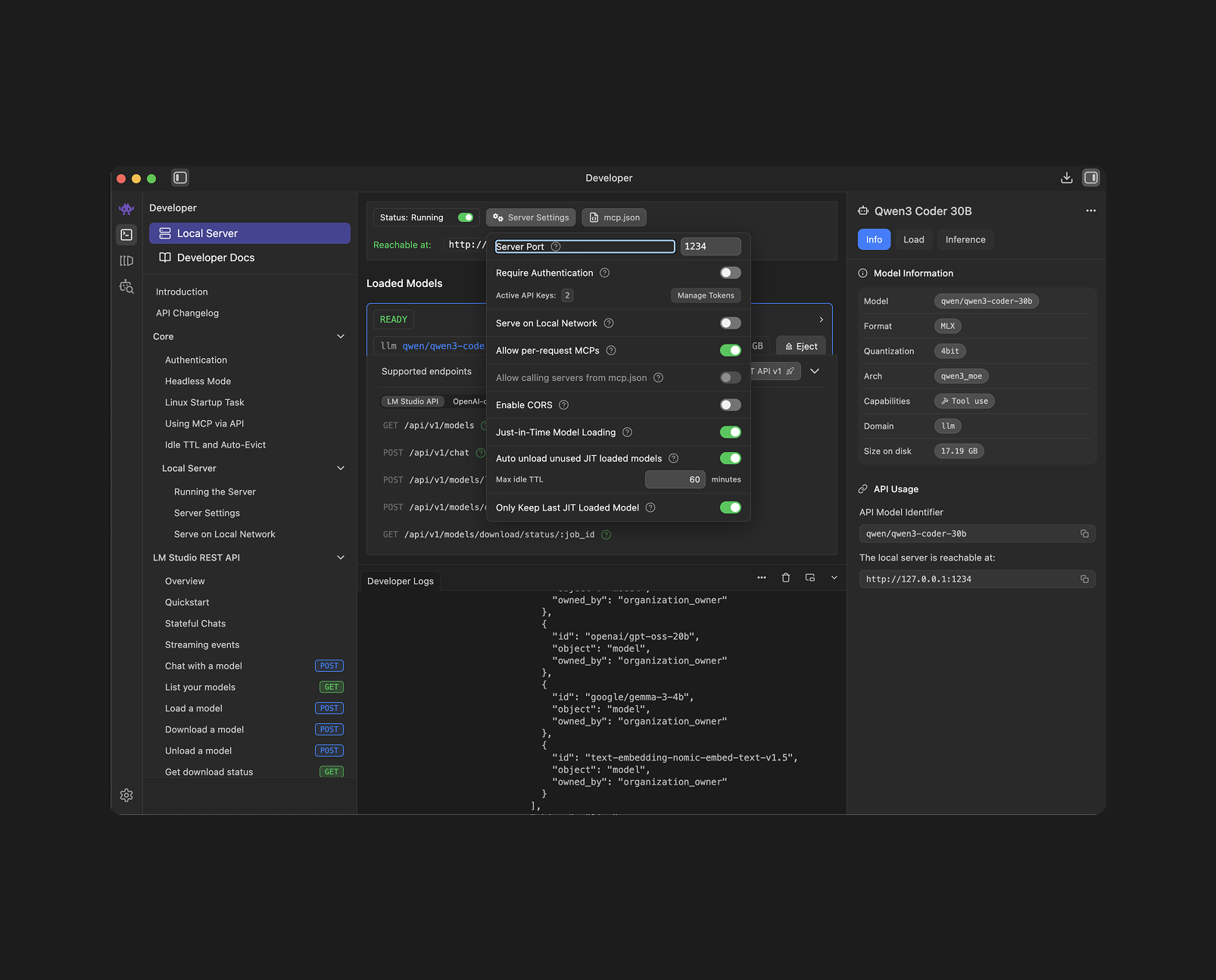
Now Press on "Manage Tokens"
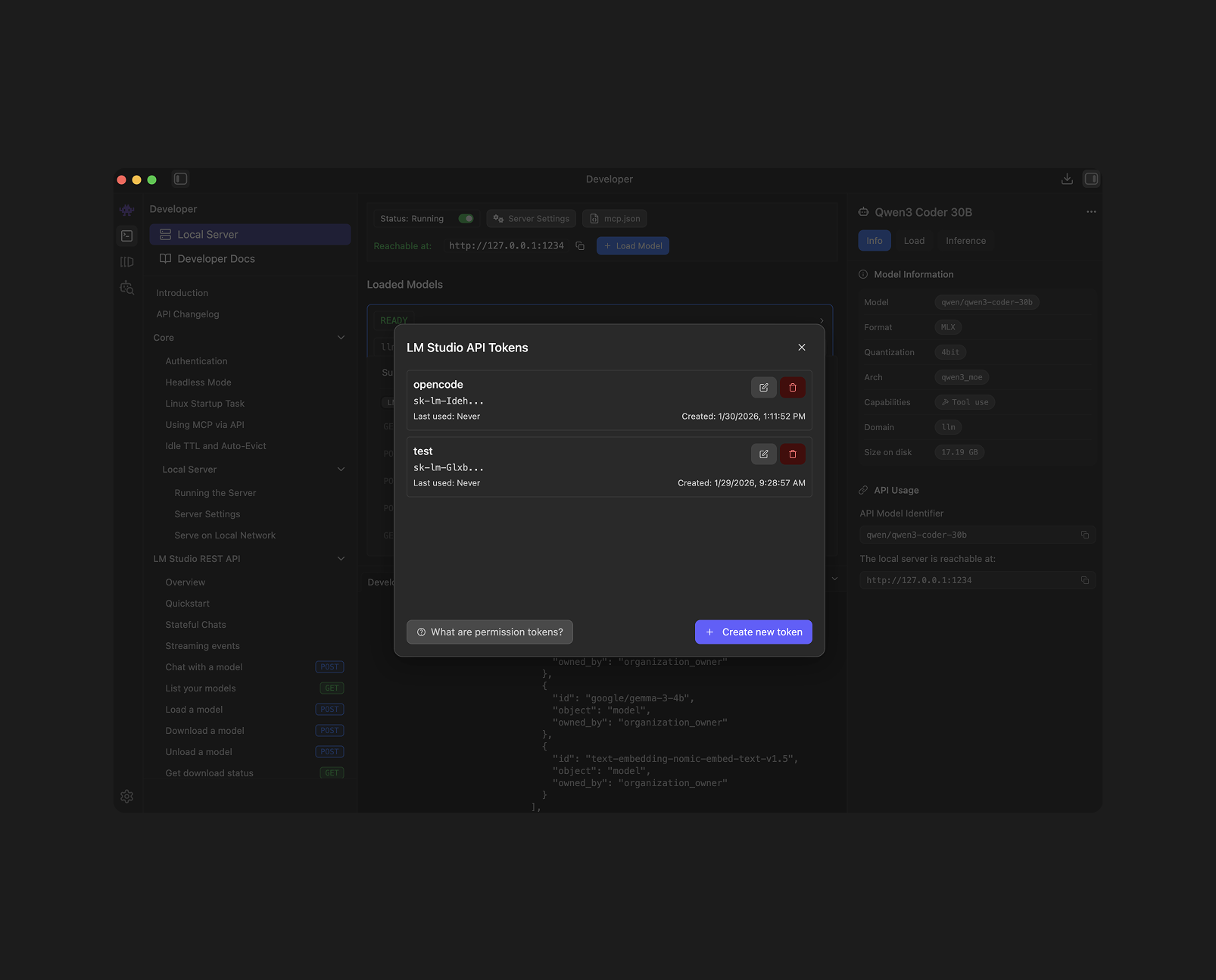
Create a new token and save it.
Now we need to tell Opencode to ignore cloud providers and look at your local LM Studio server instead. Open your Terminal and run
opencode
then
ctrl+p
and go down to "Connect Provider"
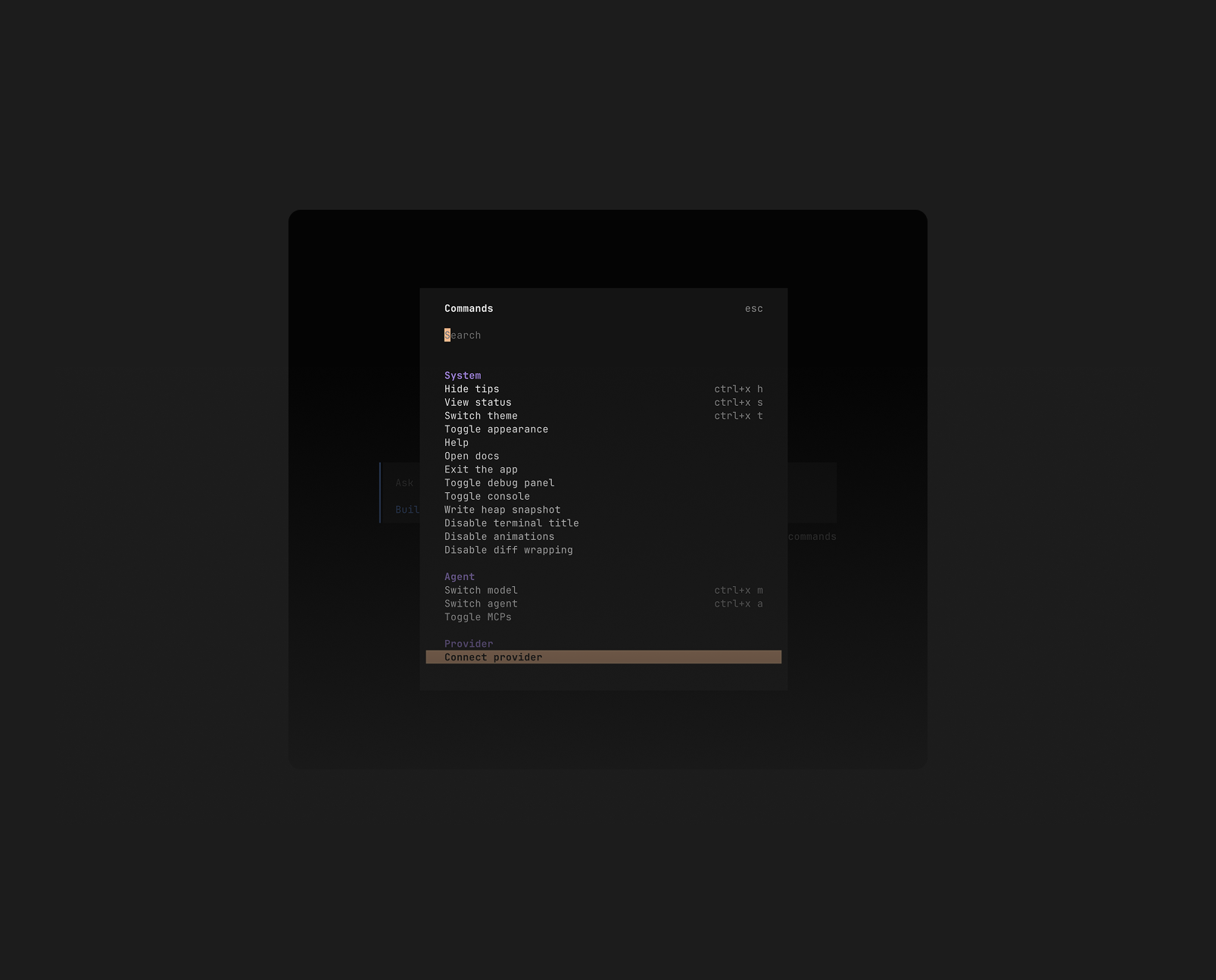
Now choose LM Studio and enter the API Key we generated earlier.
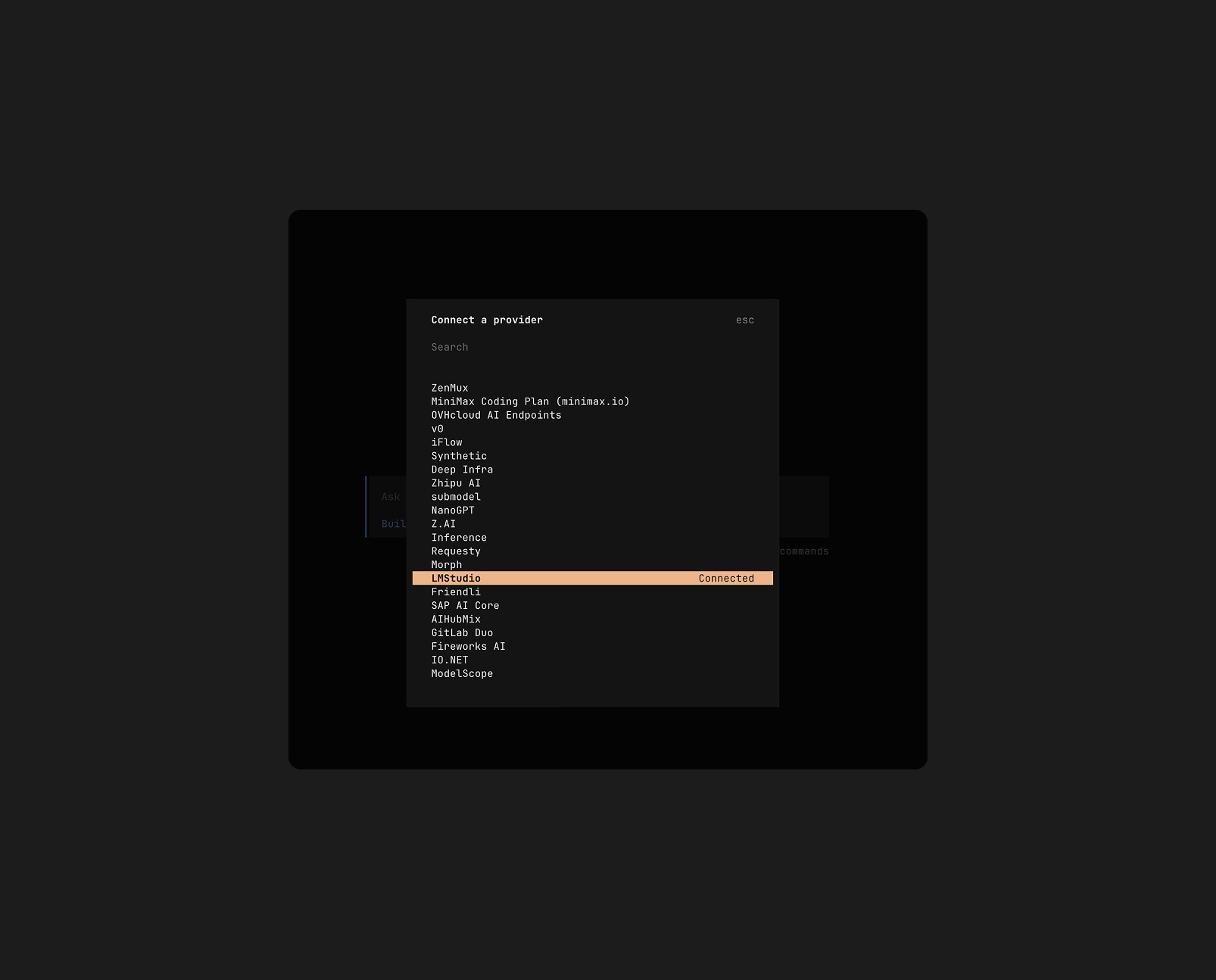
That's it. It should use your local LLM now.
5. The Workflow
When selecting models in Opencode you can choose between different models.
ctrl+p -> Select Model
Make sure the model is loaded here.
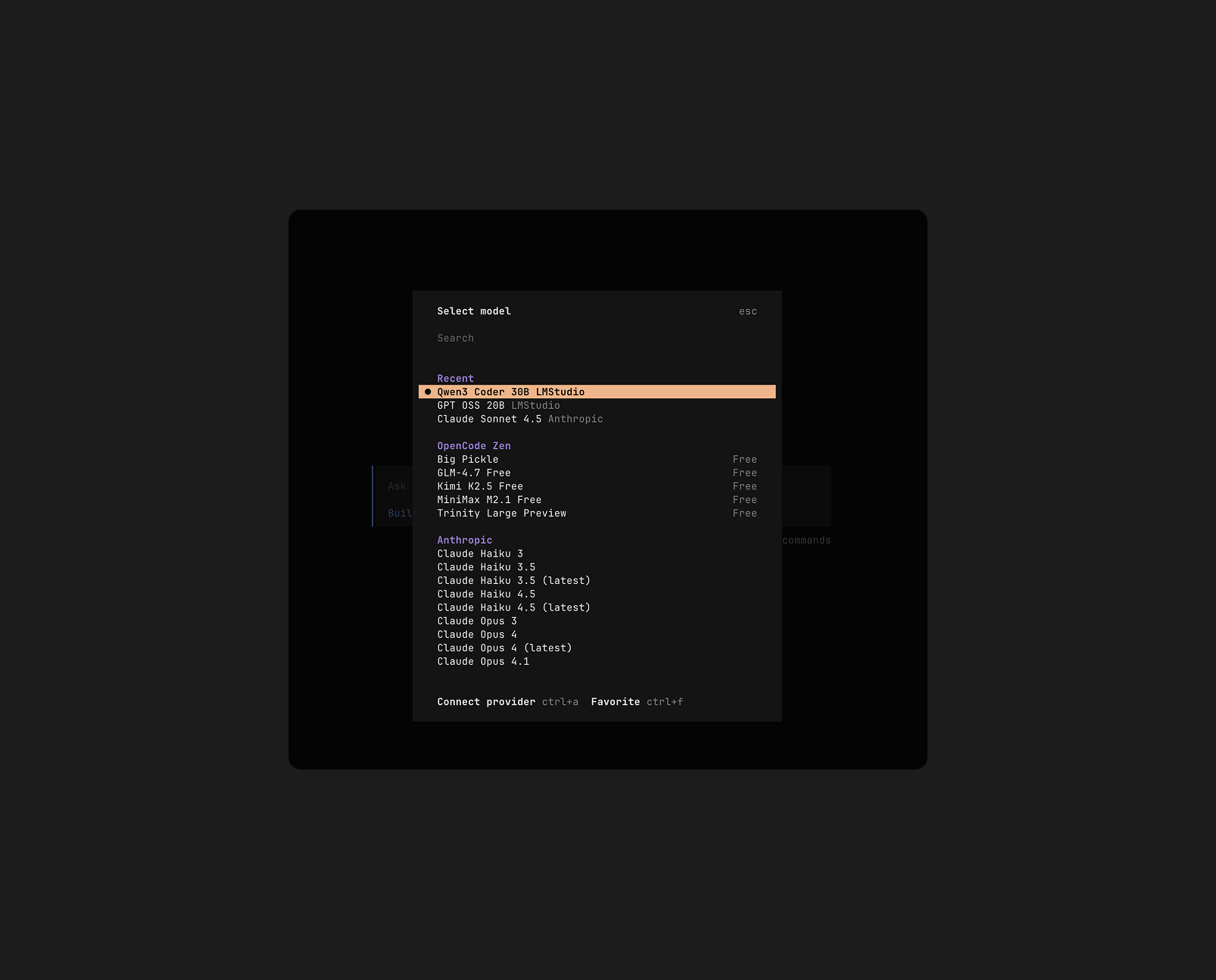
OpenCode will now query your local Qwen3 model and do the development for you - again similar to Claude Code.
Conclusion
It's pretty cool to run these models "for free" locally. The performance is of course not the same as running Claude Code with Opus 4.5, but if you are on a plane, or can't afford the subscription, it's a pretty good alternative.
More to read

Let's connect on LinkedIn ✌️
Dropping random thoughts, AI experiments, product design insights and more.